
For fast and effective way to add password security to all of your CCCD Zoom Meeting, there are some presets to be completed.
- Using your browser, go to http://cccd-edu.zoom.us and Sign In
- Once you are logged in, go to Settings
- Scroll down to the Password area
- Be sure the following are enabled
- Require a passcode when scheduling new meetings
- Require a passcode for instant meetings
- Require a passcode for participants joining the phone
- Embed passcode in invite link for one-click join
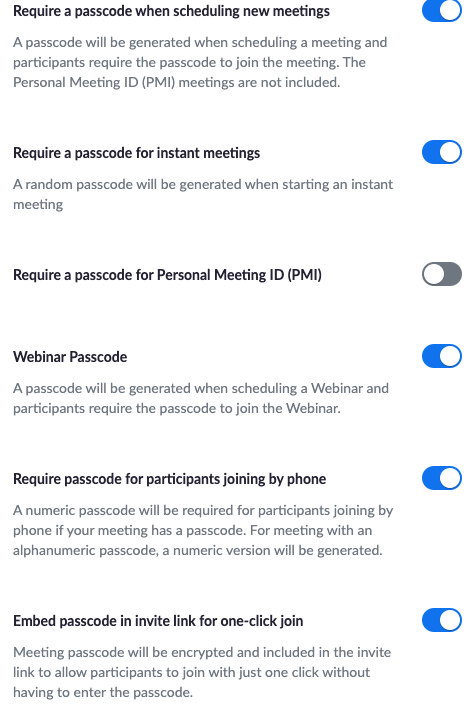
Once these are enabled, CCCDZoom will make sure there is a passcode for all of your meetings. Please know when you need to share the link; the passcode is within the invite link.
Next time you schedule a meeting within the CCCDZoom environment, the password is automatical assigned.

Please note it is highly recommended to set up your Meetings for your courses within the Canvas course and un CCCD Zoom. This will provide a higher level of security to your meeting classroom.